
Location Alarm1.06 - Google Play
You'll be able to see results in few seconds.
Publisher Description


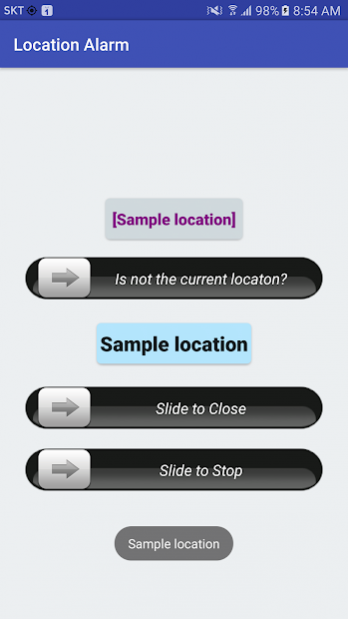

Location Alarm
Google Translation
=======================================
Location alerts when it detects a set back position is the app that the notification.
Kyeodumyeon subway commute myopia location alerts to keep you informed of the set position.
* How to use
Notification of location information is for reference only.
It does not guarantee any results.
Also through the station it does not operate properly processed. Please do not blame. Development of motivation disappears.
Himdeuneyo to explain how to use the cleaner.
Just a reminder of why you created the app and how to use them.
When you commute by subway than a mobile phone is asleep or when you pass a transfer station and arrival station.
I used to find an app that alerts arriving at the inferior border transfer station or arrival station.
Notifications in the wrong place, or have the time ... Let's not get notifications .. I
By
If you commute by subway
Line 7 Nowon Station Departure
Transit Line 7 Gangnam-gu Office Station
Bundang one won Arrival Station
If you
The first is jaenal
Cheongdam Station Line 7, Line 7 Gangnam-gu Office Station, Bundang hall Station, Bundang Irwon Station
Transfer stations to collect one global, transfer stations, one arrival stations across the country, arrival station four positions.
How to collect additional input after the station name when you arrive at the station in the current press the Wi-Fi tab on the app +
So we have collected the four stations
After the Notifications tab, select all the + to add four stations collected and then type the name of the notification.
Only one, do not transfer, arrival station also chujeon to the global alert.
The first day haeteuni collected
Second, when you go to work day
In the Notification tab, click the Start Location Alert notifications made yesterday
Make sure that the proper notifications.
For some reason, the perceived Wi-Fi BSSID (mac) duplication exists in the subway.
Two jjaenal haejumyeon better once the collection was the first day when you check.
Many times when I understand the position more accurately.
A day or two properly notified haejuna sure to use the app.
I tried to personally use. WHILE I made I think joteulgeot haneunge distributed deployment.
* function
- Notification Set the position to collect, collected location
- When you arrive at the location alerts are detected location alerts
* How to use
- Add the current location in the current Wi-Fi, Wi-Fi collected tab
- Add a location to alert collected using the nearest, the Notifications tab,
- Choose the Add reminder notifications on the Notifications tab using the Start button located Notifications
* Set
- Wi-Fi Detection Count: When you set the number of detected Wi-Fi notifications
- Wi-Fi detection cycle: test cycle of the Wi-Fi settings
- Vibration used: notifications using a vibration
- Used sound: use the sound notification
- Toast notifications when usage: When you find a location reminder to toast
- Always use the top alert: Shows location on the alert when you are not alert position
- Top alert period: periodic reminders to the top
- Screen Orientation: Set the direction of the screen apps
Di-bus used: When using the debug toss Location Alerts
* caution
- For information on the location notifications are reference.
- It does not guarantee any results.
* This app is used, such as the open-source and public image.
About Location Alarm
The company that develops Location Alarm is airplanez. The latest version released by its developer is 1.06.
To install Location Alarm on your Android device, just click the green Continue To App button above to start the installation process. The app is listed on our website since 2016-11-26 and was downloaded 0 times. We have already checked if the download link is safe, however for your own protection we recommend that you scan the downloaded app with your antivirus. Your antivirus may detect the Location Alarm as malware as malware if the download link to net.airplanez.android.locationalarm is broken.
How to install Location Alarm on your Android device:
- Click on the Continue To App button on our website. This will redirect you to Google Play.
- Once the Location Alarm is shown in the Google Play listing of your Android device, you can start its download and installation. Tap on the Install button located below the search bar and to the right of the app icon.
- A pop-up window with the permissions required by Location Alarm will be shown. Click on Accept to continue the process.
- Location Alarm will be downloaded onto your device, displaying a progress. Once the download completes, the installation will start and you'll get a notification after the installation is finished.
Version History
version 1.06
posted on 2016-11-26
* 2016/11/26 Version 1.06
- Bug fix : some device could not find location when device sleep
- Selective save Wi-Fi (korea only)
* 2016/11/05 Version 1.02 ~ 1.05
- Bug fix : some device could not find location when device locked
* 2016/10/31 Version 1.01
- Bug fix
* 2016/10/29 Version 0.99 ~ 1.00
- Use Seoul Open API
* 2016/10/19 Version 0.90 ~ 0.94
- first version
Disclaimer
Official Google Play Link
We do not host Location Alarm on our servers. We did not scan it for viruses, adware, spyware or other type of malware. This app is hosted by Google and passed their terms and conditions to be listed there. We recommend caution when installing it.
The Google Play link for Location Alarm is provided to you by apps112.com without any warranties, representations or guarantees of any kind, so access it at your own risk.
If you have questions regarding this particular app contact the publisher directly. For questions about the functionalities of apps112.com contact us.
